Visually Edit Complex CSS Keyframe Sequences.
Core 100% Features Free forever. No account required.
Start Creating Now! Only Available For Desktop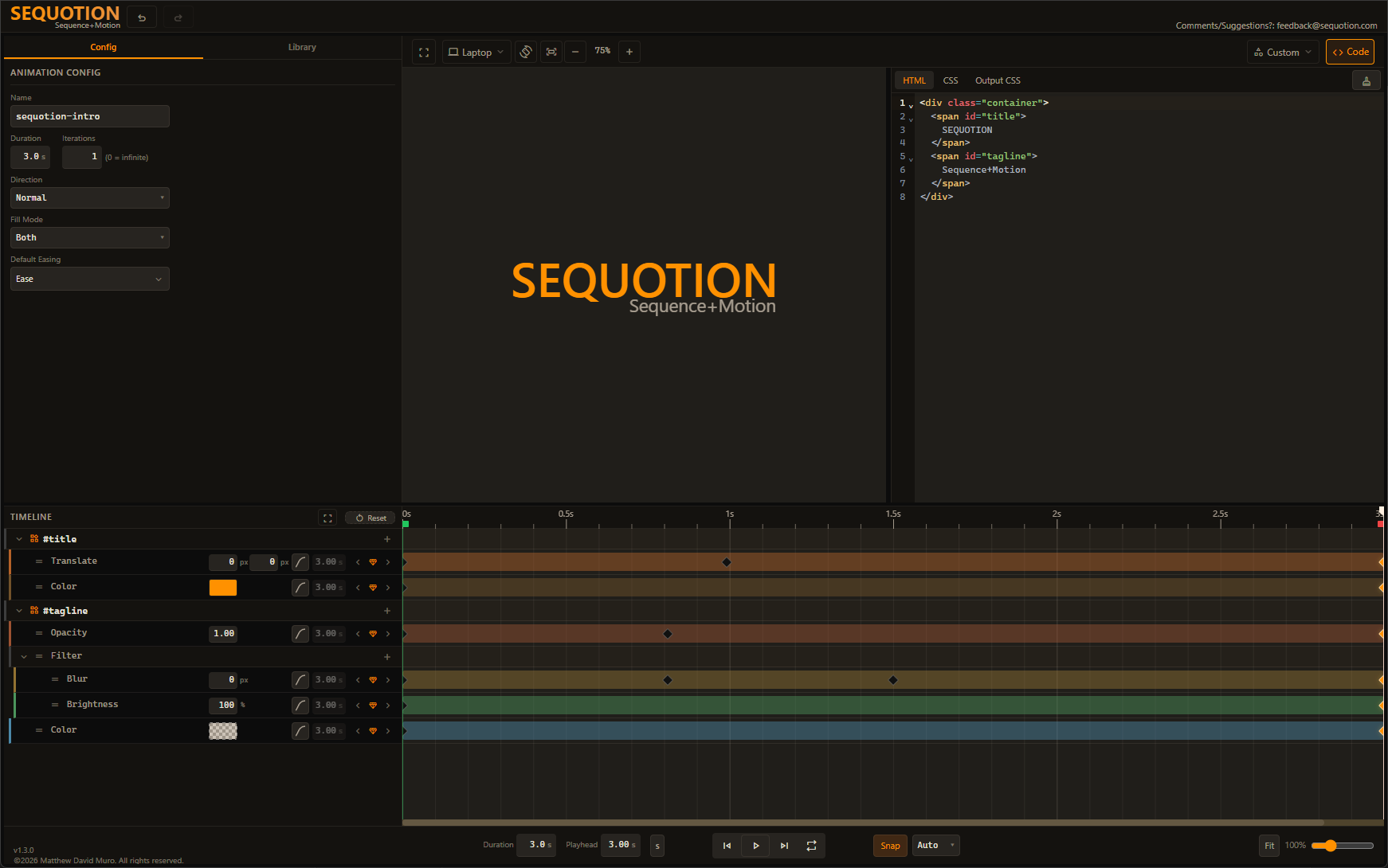
Everything you need to build CSS animations
All core features are free — no sign-up, no paywall, no limits.
Visual Timeline Editor
Drag-and-drop keyframes on a professional timeline with snapping, multi-select, and per-property tracks.
Multi-Element Animations
Animate multiple HTML elements in a single coordinated animation.
Compound Properties
Animate complex CSS like box-shadow, border-radius, and filter with individual sub-property control.
Per-Keyframe Easing
Set custom easing curves on each keyframe with visual curve previews.
Live Code Editor
Built-in HTML and CSS editors with Emmet support and syntax highlighting.
Preset Library
Start from built-in animation presets and customize to fit your needs.
Paid Features (Planned for the future)
Save to Your Library
Save your custom animations to a personal library. Reuse, remix, and build on your best work.
Animation Sequencer
Chain multiple saved animations into coordinated sequences with a dedicated sequencer timeline. Orchestrate complex multi-step motion.
Figma Plugin
Browse and preview animations directly inside Figma. Copy production-ready CSS without leaving your design tool.